Why Am I getting 'VPN Detection' alert while logging in to the Geojit App?
If you see a "VPN Detection" alert while logging in to the Geojit app, it means the app has detected that your device is connected through a Virtual Private Network (VPN) or a similar network-routing service. As part of Geojit's security measures, certain network configurations may be flagged because they can mask a device's actual network location or interfere with security validations.
To help protect your account and financial information, access to the app may be restricted when a VPN connection is detected. If you are using a VPN, disable it and try logging in again.
The screenshot below shows an example of a VPN detection alert generated by the app. When this alert appears, click Read More to understand the security vulnerability detected on your device.
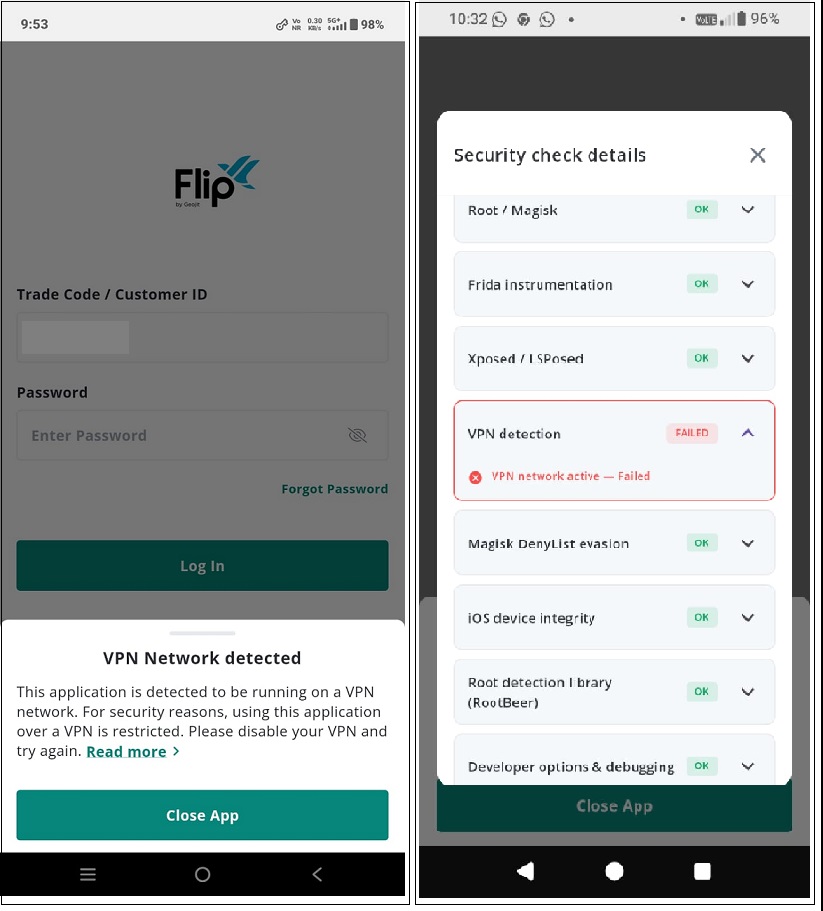
The steps below explain how to disable VPN settings on your device and restore access to the Geojit app.
To disconnect a VPN on your mobile:
- Android
- Open Settings.
- Tap Network & Internet (or Connections, depending on the phone).
- Select VPN.
- Tap the connected VPN.
- Tap Disconnect.
- iPhone (iOS)
- Open Settings.
- If VPN is connected, you'll see VPN near the top.
- Tap VPN and turn the Status switch Off.
- If you're using a VPN app
- Open the VPN app (NordVPN, ExpressVPN, Proton VPN, etc.).
- Tap Disconnect or Stop.
To prevent automatic reconnection
- Go to Settings > VPN and disable Always-on VPN (Android), or
- Open the VPN app and turn off Auto Connect.
Still need help? Create Ticket


