How can I modify or cancel split order ?
You can modify or cancel the split order while the order is in the pending state.
To modify a split order :
- Go to the 'Open Orders' page in Flip.
- The split order you placed will be displayed as individual orders.
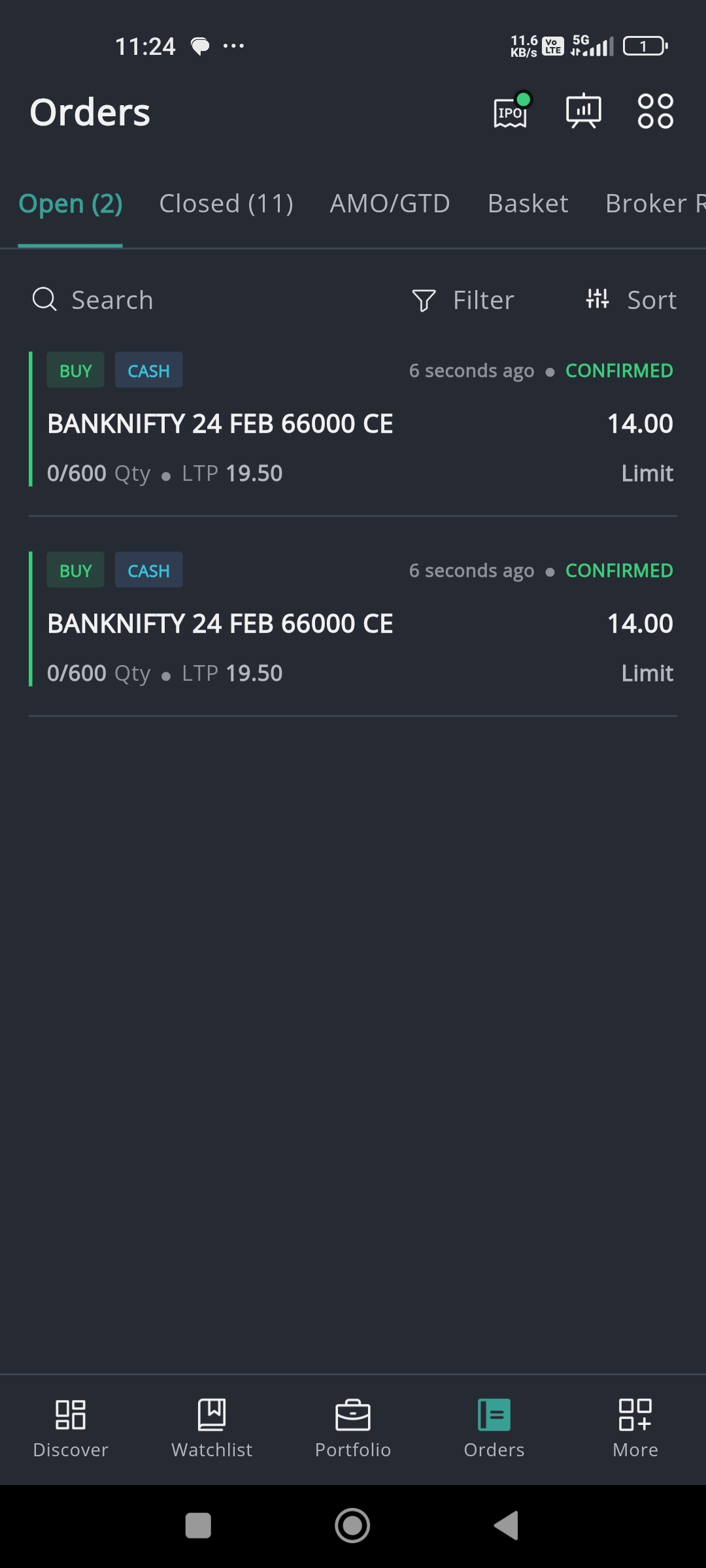
- You can modify or cancel each individual order.
- Tap on the Scrip name and you will be provided with two options - modify or cancel.
- To modify an order, click on the 'modify' button.
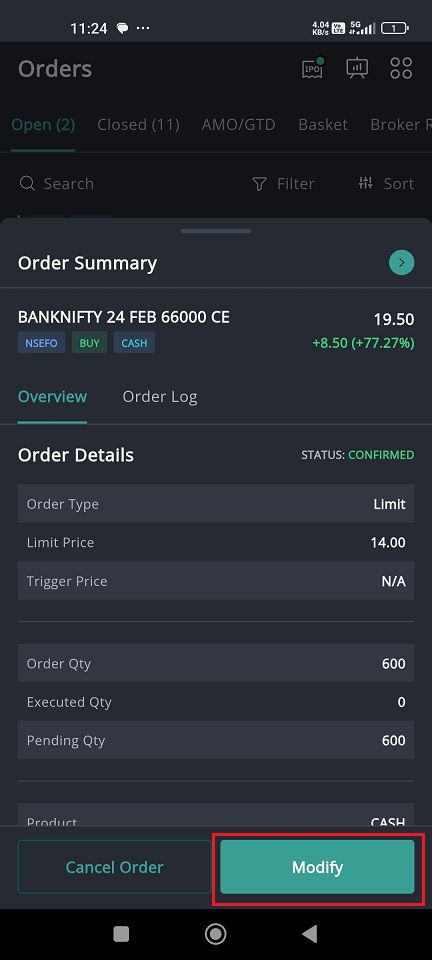
- Make necessary changes.
- Click on the 'Review Order' button.
- Once finalized, click 'Place Order'.
To cancel a split order :
- Go to the 'Open Orders' page in Flip.
- The split order you placed will be displayed as individual orders.
- You can modify or cancel each individual order.
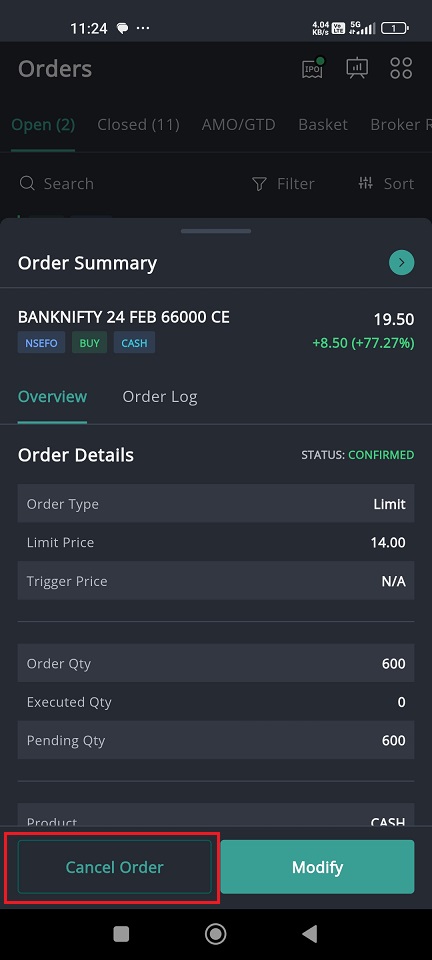
- Tap on the Scrip name and you will be provided with two options - modify or cancel.
- Click on the 'Cancel' button.
- Now your order will be cancelled successfully.
Still need help? Create Ticket


